What to Check During an Education Franchise Platform Demo
The demonstration looks impressive. A child completes a colorful activity, earns a reward, and moves to the next challenge. Then the presenter opens a dashboard filled with charts.
You have seen several features. But could you explain how your teacher would use them next Tuesday—or what information you would review as the center owner?
Before choosing an education franchise, ask to see the platform through the everyday tasks your team will perform. This helps you assess how the technology fits the educational program and the business you plan to operate.
Begin with Your Intended Use
Tell the presenter what you are planning before the demonstration begins.
Are you opening a dedicated center, adding a course to an existing school, or exploring regional development? Which programs interest you? Who will teach, handle administration, and oversee the business?
These details affect what you need to see.
An existing school may already have scheduling and payment tools. Its immediate priority might be teaching resources and student practice. A new center owner may also need to understand group organization and management functions.
Prepare a short list of tasks you want demonstrated. That gives the session a practical focus while leaving room to explore useful features you had not considered.
Ask to See the Different Roles
A student, teacher, and owner use a system for different purposes.
The student needs to find and complete the appropriate activities. The teacher needs to prepare lessons, organize practice, and review learning information. The owner needs visibility over the operation.
Ask the presenter to explain the available roles and show the relevant views.
Useful questions include:
- What can each role see and do?
- How are staff given the access they need?
- Which functions belong to the learning platform and which to a separate management tool?
- What would the owner need to set up before the first group starts?
Do not assume that every function shown is available to every user. Similarly, clarify whether a feature is included in your proposed package or belongs to another partnership format.
Follow a Teacher’s Working Day
A useful demonstration can follow a simple sequence: prepare for a lesson, organize practice, then review what students have done.
Ask the presenter to use a sample group.
Where does the teacher find the relevant resources? How do they identify the activities appropriate to the current topic? How does the platform connect with workbooks, classroom demonstrations, and other teaching materials?
For mental arithmetic, explore how digital practice supports a course involving a physical abacus and teacher-led instruction.
The important question is how the resources work together. A collection of exercises can be useful, but teachers also need to understand how to use them within the selected program.
Detailed teaching procedures may form part of training rather than a sales demonstration. You can still ask to see how the teacher locates and uses the resources they will need.
See What the Child Experiences
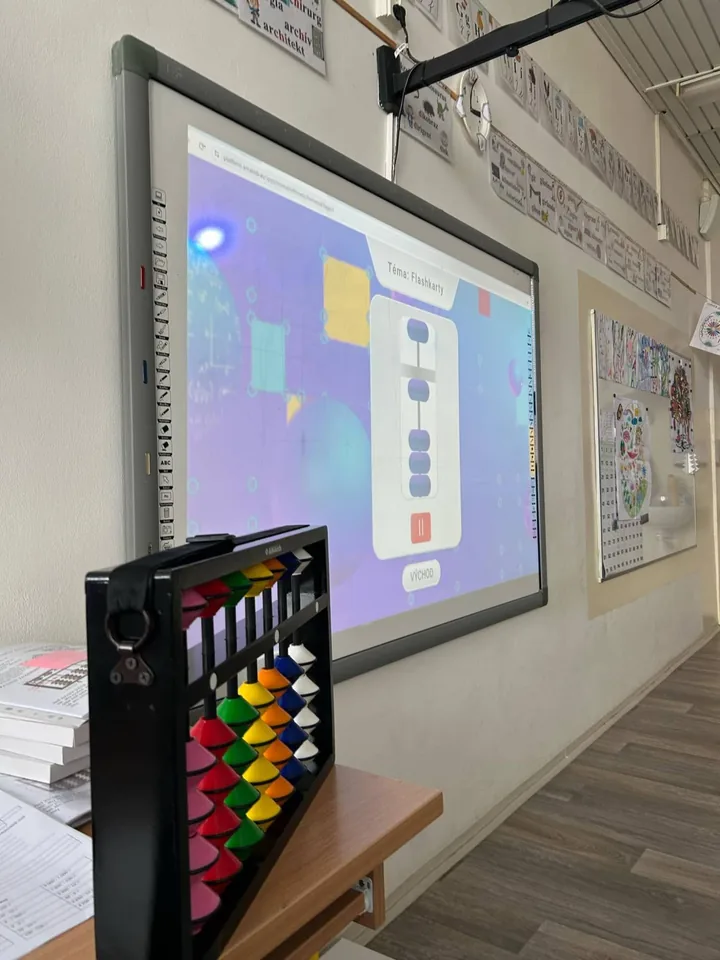
Switch to the student’s view and follow an activity from the beginning.
Can you understand where the task is, what the child is being asked to do, and what happens after completion?
Ask what guidance is available when a student is unsure and which questions need help from the teacher.
Consider the age group you intend to serve. What feels straightforward to an adult during a presentation may require explanation for a younger child.
If home practice is part of the course, ask how families are introduced to it. You need to understand what the center will explain before expecting a student to use the tools independently.
Avoid assuming that the experience will be identical across every course. English, mental arithmetic, and memory development may use different resources and activities.
Look Beyond a Progress Chart
A chart is useful when staff understand what it measures and how it can inform their work.
Ask the presenter to explain a sample result. What does it show about activity, completion, or performance? Can the teacher see enough context to decide what needs investigating?
For example, a lower result may raise a question about understanding, difficulty, or regularity of practice. It does not establish the cause by itself.
A strong review keeps the teacher’s role visible. Technology can organize information and draw attention to a concern; the teacher still needs to observe, ask questions, and make appropriate teaching decisions.
Ask how progress information connects with conversations with families. What can staff explain clearly, and what would need further assessment?
Understand the Purpose of Rewards and Games
Rewards, challenges, and competition can make a platform appealing. During the demonstration, ask how these features relate to practice.
What encourages a child to return? What options are available to students who prefer individual activities? How does the teacher keep attention on learning rather than only on collecting rewards?
If competitive activities are shown, ask how participants are matched and how the activity works when a suitable opponent is unavailable. Do not assume that every opponent shown represents another child.
You do not need proprietary scoring formulas to assess the broad approach. You do need a clear explanation of what the child experiences and what the center will communicate to parents.
Treat engagement features as tools to explore, rather than evidence that every family will continue the course.
Review the Owner’s Tasks Separately
A good student demonstration does not tell you whether the management tools suit your operation.
Ask to see the tasks you expect to manage: organizing groups and timetables, reviewing student numbers, recording payments, or checking outstanding issues.
Confirm which functions are actually available and how they fit your chosen partnership.
For each relevant task, ask:
- Who enters the information?
- Who keeps it current?
- What can the owner review?
- What requires action outside the system?
- Would another service still be needed?
A management dashboard depends on the quality of the information entered. It also needs someone responsible for reviewing it and following through.
Check Language, Devices, and Setup Requirements
Explain the conditions in which your team and families will use the tools.
Ask which languages are currently available for the selected courses, teacher resources, and support. Clarify any adaptation you would need to arrange locally.
Check the devices and connection requirements for the activities you intend to use. If offline access is mentioned, ask exactly which functions remain available and under what conditions.
Where possible, try the relevant tasks on the kind of device your teachers or families are likely to use.
Also ask what happens before launch: who creates the initial accounts, what staff training is provided, and where technical questions go.
Record current capabilities separately from features described as planned.
Keep a Short Demo Record
Use a table to distinguish what you have seen from what still needs clarification.
| Area | What to record |
|---|---|
| Teacher workflow | Tasks demonstrated and preparation required |
| Student experience | Instructions, activity access, and help needed |
| Learning resources | Connection between classroom materials and digital practice |
| Progress information | What is measured and how teachers can review it |
| Motivation | Rewards, individual options, and competitive activities |
| Management tools | Relevant owner tasks and any separate services needed |
| Local readiness | Language, devices, connectivity, and setup |
| Commercial scope | What is included in your proposal and what costs extra |
| Follow-up | Unanswered questions and any further demonstration needed |
Use clear labels such as “demonstrated,” “explained,” and “not yet confirmed.” This prevents an attractive presentation from becoming a list of assumptions.
Connect the Demonstration to Your Partnership Proposal
After the session, compare what you saw with the offer available to you.
Confirm which programs, functions, training, and support are included. If your team needs further practice, ask whether suitable trial access or another guided session is available.
Your aim is to leave with a practical understanding: how a teacher prepares, how a child practices, what information staff can review, and what work remains with your center.
Considering an AMAkids partnership? Explore the available models and ask about a platform demonstration relevant to your selected programs and launch plans.
Explore AMAkids Partnership Models →Considering an AMAkids franchise? Get the partnership presentation: formats, programs and launch support.
Get the presentation